Apple Music new releases, in one playlist
Apple Music shows new releases in a few places: a row on the Home tab, New Music Mix on Fridays, and a notification if you've favorited the artist. None of them is a full list of what your artists put out. Tracknack adds what the artists you follow release to a playlist in your library.
Last reviewed: November 2026
Where to see new releases on Apple Music
Four places in the Music app, and what each one gives you.
New Releases on the Home tab
- Home
- New Releases
A row of recent albums from artists in your library. It holds up to around 70 of them, which is more than most people expect.
The closest thing to a list of what your artists put out, but it stops at around 70 albums and you open them one at a time.
New Music Mix
- Home
- New Music Mix
A personalized playlist of music from artists Apple thinks you'll like, refreshed every Friday. It sits with your other mixes, and the section's label varies by app version.
Apple's selection, not a record of your artists. Each Friday's mix replaces the one before.
The New tab
- New
- New Releases
The editorial side of the app: featured music, a New Releases row of albums, Latest Songs, genre pages and playlists made by Apple's music experts.
Picked by Apple's editors, not built from the artists you follow.
New Music notifications
- Profile picture
- Notifications
- New Music
Favorite an artist and turn this on, and Apple Music can alert you when they release something.
An alert about one release at a time, not a list or a playlist.
For the discovery side, like Discovery Station, see how to find new music on Apple Music. If you're looking for a weekly playlist like Spotify's, see what to use instead of a Release Radar.
Apple Music and Tracknack, side by side
The two personalized places Apple Music puts new releases, next to a Tracknack playlist.
What Tracknack adds to Apple Music
You choose who to follow. Tracknack checks for their new releases and keeps one playlist in your library up to date.

One playlist in your Apple Music library
Tracknack creates a playlist in your library and adds new releases from the artists you follow. You get an email each time it updates, listing what was added. Nothing gets swapped out on Friday: tracks stay until you remove them.
Follow record labels
Apple Music has no way to follow a label. On Tracknack you follow Ninja Tune or Hyperdub the same way you follow an artist, and their new releases land in your playlist, including ones by artists you haven't heard yet.
Producers and songwriters, through credits
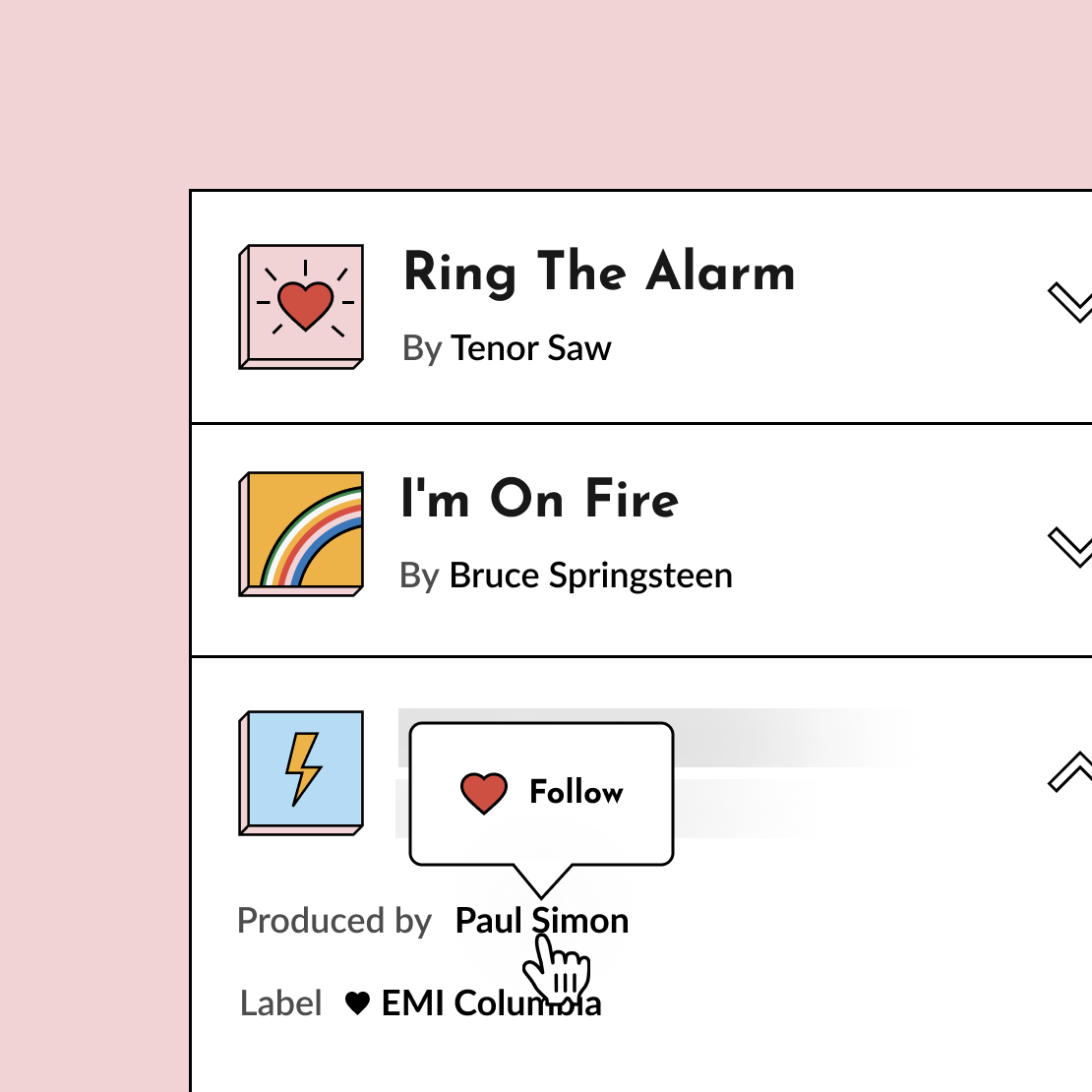
Apple Music lists a song's producers and songwriters, but the names are plain text. Tracknack reads album credits, so you can follow the people behind a record and get what they work on next.
Set it up in three steps
Sign in with Apple Music
Choose Continue with Apple Music, then connect your account so Tracknack can create a playlist for you. You need an Apple Music subscription.
Choose who to follow
Import artists from your Apple Music library, then search for anyone who's missing. Record labels count too.
Play what arrives
Tracknack creates the playlist in your library and keeps adding new releases: weekly on the free plan, as often as hourly on paid ones. You get an email each time it updates.
What you need to start
Tracknack takes over the checking. Two things get you going.
- Apple Music
- An Apple Music subscription. The playlist lives in your Apple Music library.
- Tracknack
- A free Tracknack account. The free plan covers 30 follows and updates your playlist weekly. Paid plans raise the follow limit and can update as often as hourly.
Not sure a playlist is what you want? See how Tracknack compares with other release trackers.
Frequently asked questions
How do I see new releases on Apple Music?
Open the Home tab and scroll to New Releases, a row of up to around 70 recent albums from artists in your library. New Music Mix, also on Home, is a personalized playlist that refreshes every Friday. The New tab has Apple's editorial picks, including a New Releases row of its own. None of these is a complete list of what your artists released.
Where can I explore the newest albums on Apple Music?
Two places. For new albums in general, open the New tab and swipe through the albums under New Releases, or tap Browse by Genre to narrow it down. For albums from artists you already listen to, scroll to the New Releases section on the Home tab, which holds up to around 70 recent albums from artists in your library.
Can I get personalized new releases on Apple Music?
Yes. New Music Mix is a personalized playlist that refreshes every Friday with music from artists Apple thinks you'll like, and the New Releases section on the Home tab lists recent albums from artists in your library. For a playlist built from a follow list you control, Tracknack adds new releases from the artists and labels you follow to a playlist in your Apple Music library.
Where do I find new music on Apple Music?
It depends what you mean by new. For new releases from artists you know, check New Releases and New Music Mix on the Home tab. For music you haven't heard before, Discovery Station under Stations for You plays only songs you've never played, and the New tab has playlists made by Apple's editors.
How does Tracknack track Apple Music new releases?
You sign in with Apple Music and follow artists and labels on Tracknack. You can import the artists in your Apple Music library to start. When someone you follow releases something, Tracknack adds it to a playlist in your Apple Music library and emails you what was added. It needs an Apple Music subscription.
Can I follow a record label on Apple Music?
Not in Apple Music itself, which has no way to follow a label. On Tracknack you can follow a label, and its new releases are added to your Apple Music playlist alongside the ones from your artists.
How quickly do new releases show up in my playlist?
Tracknack checks for new releases on a schedule you control — hourly, daily, weekly, or monthly. The free plan runs weekly. Paid plans let you pick the frequency, so daily or hourly gets you same-day updates.
Is Tracknack free?
In the free version you can follow up to 30 artists or labels. There's also a 14-day free trial to give you time to try Tracknack's full functionality.
Learn more
Stop missing releases.
Tracknack digs through album credits — producers, engineers, labels — so you don't have to. One Spotify or Apple Music playlist, always up to date.
Have an idea or feedback?
If you have any comments about Tracknack or would like Tracknack to have a specific feature, drop me an email!